
Iris Shaders download options include the official Iris Installer, Universal JAR, Modrinth, and CurseForge. Iris is a shader mod for Minecraft: Java Edition that loads compatible shader packs and works with Sodium in its official installer. The right download depends on your Minecraft version, mod loader, and installation method.
Download Options
You can get Iris Shaders through several supported distribution methods. The official Iris website provides a Windows installer and a Universal JAR. It also links to Iris on Modrinth and CurseForge.
Each option serves a different setup.
| Download option | Best for | Sodium included? |
| Iris Installer for Windows | Simple Windows installation | Yes |
| Iris Universal JAR | Other supported platforms | Yes |
| Modrinth | Manual mod installation | Check the selected release |
| CurseForge | Manual mod installation | Check the selected release |
Download Iris Shaders With the Official Installer
The official Iris Installer is the most direct way to install Iris and Sodium together.
The Iris website provides two installer options:
- Windows .exe installer
- Universal .jar installer
The installer asks you to choose your Minecraft version and then installs the required components.
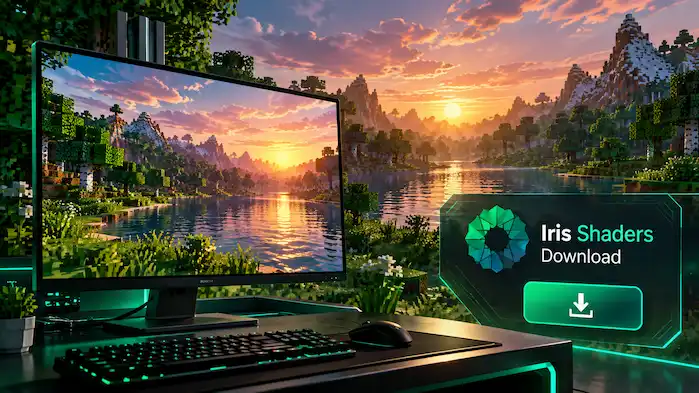
Iris Shaders Windows Installer
The Windows installer is designed for users who want a simple installation process. Run the installer, select the Minecraft version, and start the installation. The official installer handles Iris and Sodium together. This option avoids manually downloading separate mod files.
Iris Shaders Universal JAR
The Universal JAR provides another installer option for supported platforms. It is useful when the Windows executable is not suitable for your system. The official download page states that the Universal JAR works on any platform where the required Java environment is available. The installation flow remains focused on selecting the Minecraft version and installing Iris with Sodium.
Iris Shaders Download From Modrinth
Modrinth provides individual Iris releases for supported Minecraft versions and mod loaders. The current Modrinth listing shows Iris releases for Minecraft Java Edition across several versions, including 26.3, 26.2, 26.1.x, 1.21.x, 1.20.x, 1.19.x, 1.18.x, 1.17.x, and 1.16.5. Current supported platforms listed by Modrinth are Fabric, NeoForge, and Quilt.
Choosing an Iris Version on Modrinth
Before downloading a file, check these details:
- Minecraft version
- Mod loader
- Iris version
- Release type
- Required dependencies
For example, the current Iris 1.11.6 release on Modrinth is listed for Minecraft 26.3 and Fabric. It is marked as client-side. A different Minecraft version or loader requires a matching Iris release.
Manual Mod Installation
The Modrinth route is useful when you want to manage Iris as part of an existing mod setup. Download the release that matches your Minecraft environment, then place the mod in the appropriate mods folder for your loader. Check the individual release page before installing because required content can vary between versions.
Iris Shaders Download From CurseForge
CurseForge also provides Iris releases for different Minecraft versions and mod loaders. The current CurseForge listing includes Iris files for Fabric, Quilt, and NeoForge. Its file archive contains releases across many Minecraft versions.
Choosing an Iris Version on CurseForge
Use the filters on the files page to find the required Minecraft version and loader. For example, current files include Iris 1.11.6 for Fabric 26.3, Iris 1.11.4 for Fabric and NeoForge 26.2, and releases for Minecraft 26.1.2. Always check the complete file name before downloading. A file made for one Minecraft version should not be treated as a universal Iris download.
Which Iris Shaders Download Should You Use?
The best option depends on how you want to install Iris.
Use the Iris Installer If:
- You use Windows.
- You want a simple setup.
- You want Iris and Sodium installed together.
- You do not need to manage the mod files manually.
The official installer is designed for this setup.
Use the Universal JAR If:
- You need a cross-platform installer.
- The Windows executable is not suitable.
- You prefer the Java-based installer.
The official site provides the Universal JAR as a platform-independent option.
Use Modrinth If:
- You manage mods manually.
- You already use a Fabric, NeoForge, or Quilt setup.
- You want to select a specific Iris release.
- You need to manage Iris alongside other mods.
Modrinth lists Iris releases by Minecraft version and supported platform.
Use CurseForge If:
- You already manage Minecraft mods through CurseForge.
- You need a specific Iris file.
- You want to filter releases by Minecraft version and mod loader.
CurseForge provides a large archive of Iris releases with version and loader information.
How to Choose the Correct Iris Shaders Version
Version selection is important because Iris releases are tied to specific Minecraft environments.
Check the following before downloading:
Check Your Minecraft Version
First, identify the Minecraft version you want to run.
Iris supports many Minecraft versions, but each release does not support every version. Current listings show releases across 26.x, 1.21.x, 1.20.x, and older versions.
Check Your Mod Loader
Next, identify your mod loader.
Current distribution listings include:
- Fabric
- NeoForge
- Quilt
The exact loader depends on the Iris release.
Check the Iris Release
Do not choose a file based only on the Iris version number.
For example:
Iris 1.11.6 for Fabric 26.3
contains two important pieces of information:
- Iris release: 1.11.6
- Minecraft/loader environment: 26.3 + Fabric
The same Iris project can have different files for different Minecraft versions or loaders.
Check Dependencies
Some manual releases require additional content.
The official installer handles Iris and Sodium together, while manual installation requires you to follow the dependency information for the selected release.
Iris Shaders Latest Version
Iris releases change as Minecraft receives new versions and updates. At the time of writing, the latest release shown on CurseForge is Iris 1.11.6 for Fabric 26.3, published September 15, 2026.
Modrinth also lists Iris 1.11.6 for Fabric 26.3 as a release. Version information can change, so always check the current release listing before downloading.
Iris Shaders 26.3 Download
Iris 26.3 has current releases for supported environments. The current CurseForge listing identifies Iris 1.11.6 for Fabric 26.3 as its main release.
The Modrinth release page also identifies Iris 1.11.6 for Fabric 26.3. Before installing, confirm that your Minecraft installation uses the same version and supported loader.
Iris Shaders 26.2 Download
Iris also has releases for Minecraft 26.2. Current CurseForge files include Iris 1.11.4 for both Fabric 26.2 and NeoForge 26.2. Choose the file that matches your loader. Do not install the Fabric file into a NeoForge setup or the NeoForge file into a Fabric setup.
Iris Shaders 26.1 Download
Iris releases are also available for the 26.1 generation. CurseForge lists Iris 1.10.8 for Fabric 26.1, along with later releases associated with Minecraft 26.1.2. Check the exact Minecraft version shown on the release before downloading.
Iris Shaders 1.21 Downloads
Iris has releases across the 1.21 series. The current distribution listings include releases for several 1.21.x versions, with Fabric and NeoForge files depending on the specific release. For older 1.21 versions, use the version filters on the distribution platform to locate the matching Iris file.
Iris Shaders 1.20.1 Download
Older Minecraft versions require an Iris release that supports that specific environment. The Iris version archive contains releases for older Minecraft generations, including the 1.20 series. Select the matching Minecraft version and loader instead of using the newest release by default.
Iris Shaders Download and Sodium
The official Iris Installer installs Iris and Sodium together. Manual installations work differently. When downloading a specific Iris release from a mod platform, check its dependency information before starting Minecraft. Individual Iris releases can require a particular Sodium version or another compatible component. Using mismatched versions can cause launch or compatibility problems.
What to Check Before Downloading Iris Shaders
Use this quick checklist:
- Confirm Minecraft: Java Edition.
- Check your Minecraft version.
- Check your mod loader.
- Select the matching Iris release.
- Check required dependencies.
- Make sure your shader pack supports the setup.
- Use a supported distribution source.
- Keep your existing Minecraft profile backed up if needed.
A correct version match prevents many common installation problems.
Common Iris Shaders Download Mistakes
Downloading the Wrong Minecraft Version
A newer Iris release may not work with an older Minecraft installation. Always match the release to the game version.
Downloading the Wrong Loader
Fabric, NeoForge, and Quilt files are not interchangeable. Check the loader listed on the release page.
Installing Only Iris in a Manual Setup
Some Iris releases have dependency requirements. Check the release information before launching the game.
Using an Old Iris File for a New Minecraft Version
Older files are intended for their supported Minecraft environments. Use the release that matches your current version.
Choosing a Shader Pack Before Checking Compatibility
Iris can support many shader packs, but individual packs can have their own version and rendering requirements. Check the shader pack information after choosing the correct Iris release.
FAQs
Where Can I Download Iris Shaders?
You can download it through the official Iris Installer, Modrinth, or CurseForge. The official site provides links to all three options.
Is Iris Shaders Download Free?
Yes. Iris is an open-source project distributed through its official website and supported mod platforms.
What Is the Iris Shaders Installer?
It is the official installation tool that downloads and installs Iris and Sodium together.
Can I Download Iris Shaders From Modrinth?
Yes. Modrinth provides Iris releases for supported Minecraft versions and platforms.
Can I Download Iris Shaders From CurseForge?
Yes. CurseForge provides Iris releases for supported Minecraft versions and mod loaders.
Which Iris Shaders Version Should I Download?
Choose the release that matches your Minecraft version and mod loader.
Does Iris Shaders Include Sodium?
The official Iris Installer installs Iris and Sodium together. Manual downloads can require you to check the dependency information for the selected release.
Can I Use an Older Iris Shaders Version?
Yes, when a compatible release exists for your Minecraft version and loader. The Iris version archive contains releases for many Minecraft versions.
Is Iris Shaders Available for Fabric?
Yes. Fabric is a supported platform, with the exact compatibility depending on the Iris release and Minecraft version.
Is Iris Shaders Available for NeoForge?
Yes, for supported Minecraft versions. Current Iris distribution listings include NeoForge releases.
Start Your Iris Shaders Download
The correct Iris Shaders download depends on your Minecraft version and installation setup. For the simplest installation, use the official Iris Installer. If you manage mods manually, choose the matching Iris release from Modrinth or CurseForge.
Always check the Minecraft version, loader, release version, and dependencies before installing. This gives Iris the correct environment to load shader packs.